AI Furniture and Home Decor Photography
Shoppers need to see a sofa, table, or lamp in a room, and they need the size and material to be honest. Build both from one photo of the piece.
Furniture is large, expensive to ship back, and hard to judge from a cutout. MiniMaxVion places your photographed piece into a room with matched light, adds a material close-up, and can still make a clean catalog frame for marketplaces that want a plain background. Room concepts from text are for mood boards; listings should start from a photo of the real piece.
- The same piece shown in a room, for scale and style
- Material close-ups of fabric, wood, stone, or metal
- A clean catalog frame when the channel wants a plain background
- A consistent room style across a collection
Photograph the real piece
Shoot the whole item straight on, in even light, with legs, hardware, and edges visible.
Place it in a room
Describe the floor, wall, window light, and nearby furniture in Product Background Changer. Ask for straight verticals.
Add detail and a catalog frame
Use Product Image Set for a closer material view, and White Background Product Photo if a channel wants a plain background.
What a furniture gallery has to answer
- Overall form — the whole piece, not a tight crop that hides the legs or the back
- Scale — in a room, next to a sofa, or with a person for lamps and side tables
- Material — weave, grain, stone veining, or metal finish at close range
- Function — a drawer open, a leaf extended, or a shade lit, if that is how it ships
- Color accuracy — the fabric or finish under the light you will publish
Room scenes without inventing the product
Describe the room and leave the product locked: floor material, wall color, window direction, and one or two pieces of context. Avoid prompts that change the silhouette, leg style, cushion count, or dimensions. If you only have a text idea and no photo of a real piece, use text to image for a concept and label it as a concept, not as a listing photo.
The living room example is a concept
The Scandinavian living room below was generated from a text prompt as an interior concept. It is a reference for light and styling. For a product listing, upload a photo of your sofa, table, or lamp and change only the room around it.
Can AI put my furniture into a room scene?
Yes. Upload a photo of the piece and use Product Background Changer to describe the room. The tool is instructed to keep the product and change the setting.
Will the size and shape stay accurate?
Compare legs, proportions, cushion count, and hardware with the real piece at full size. Discard any result that changes the silhouette or the finish.
Can I make a white background furniture photo?
Yes. White Background Product Photo is the right tool when a marketplace wants the piece on a plain background.
Can I generate a room before the product exists?
Text to image can make an interior concept for a mood board. Do not use a fully generated piece as the photo of an item you sell.
What photo should I start from?
A straight-on photo of the whole piece, in even light, with nothing important cropped. Phone photos work if the edges and material are sharp.
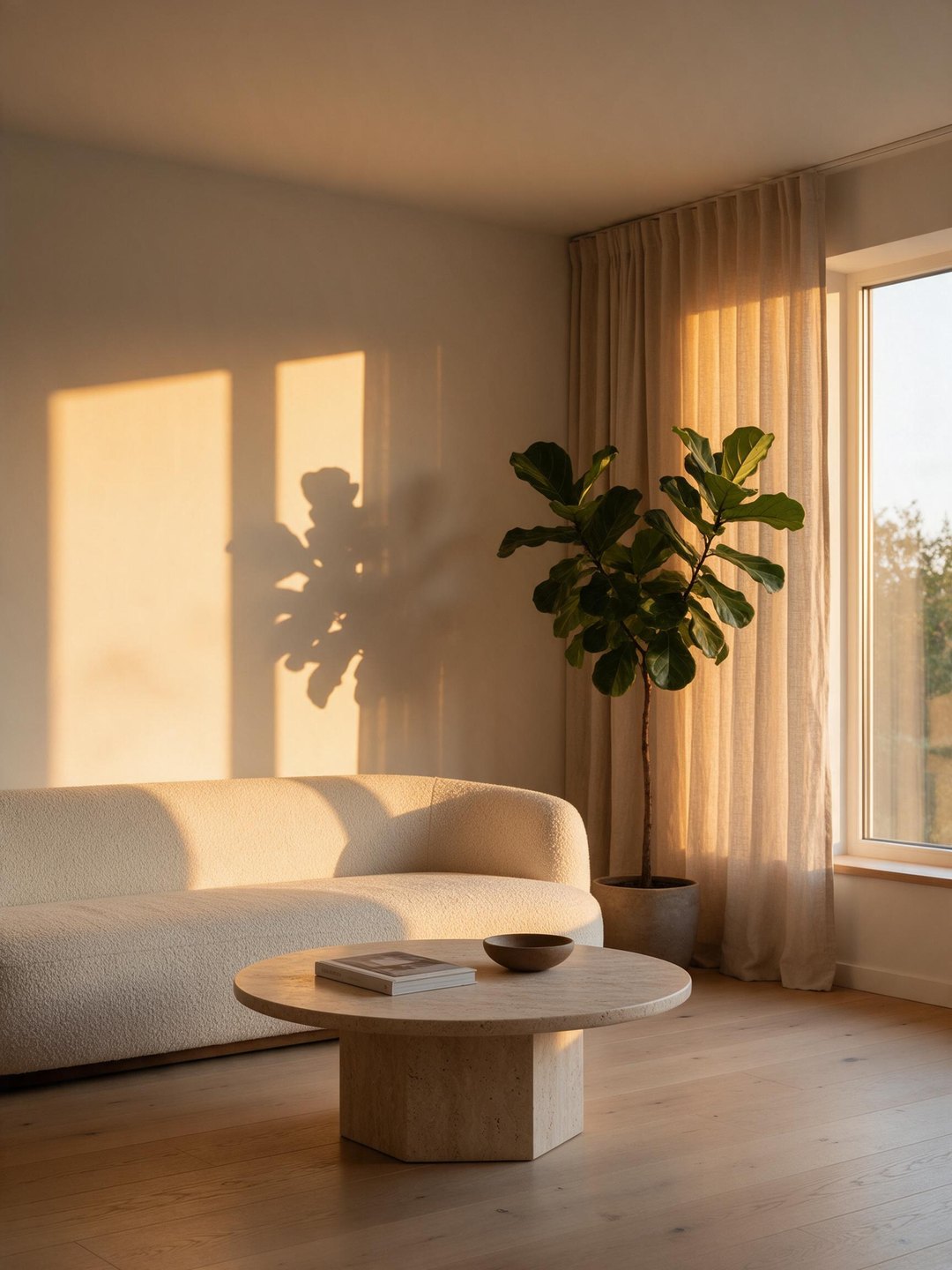 Scandinavian living room
Interior concept from a text prompt
 Product placed in a scene
Background changer from a plain photo
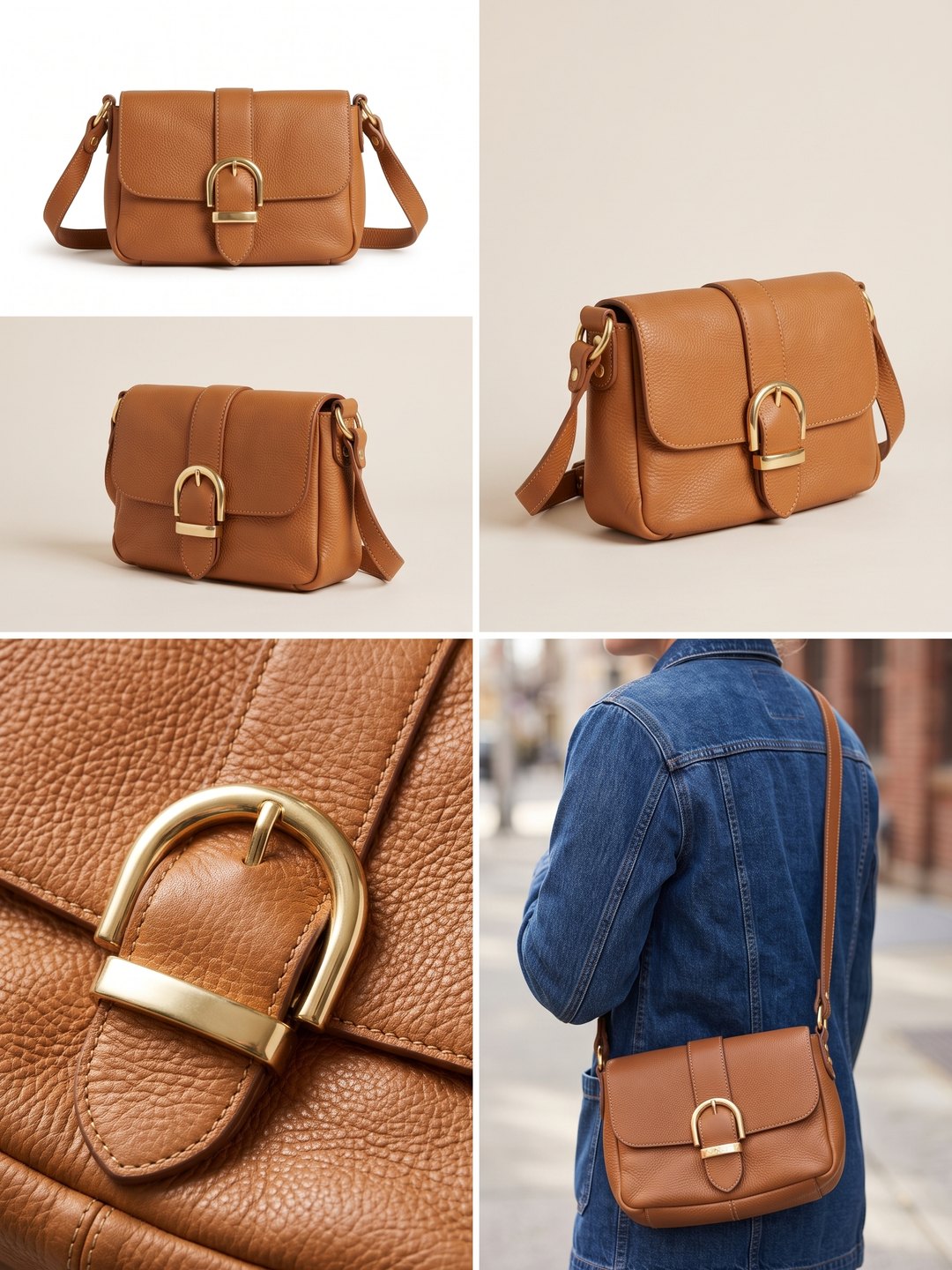 Detail and lifestyle panels
Several views from one photo
- AI Product Background Changer
- AI Product Image Set
- AI White Background Product Photo
- AI Text to Image
Pricing · Text to Image · Image to Video · 中文